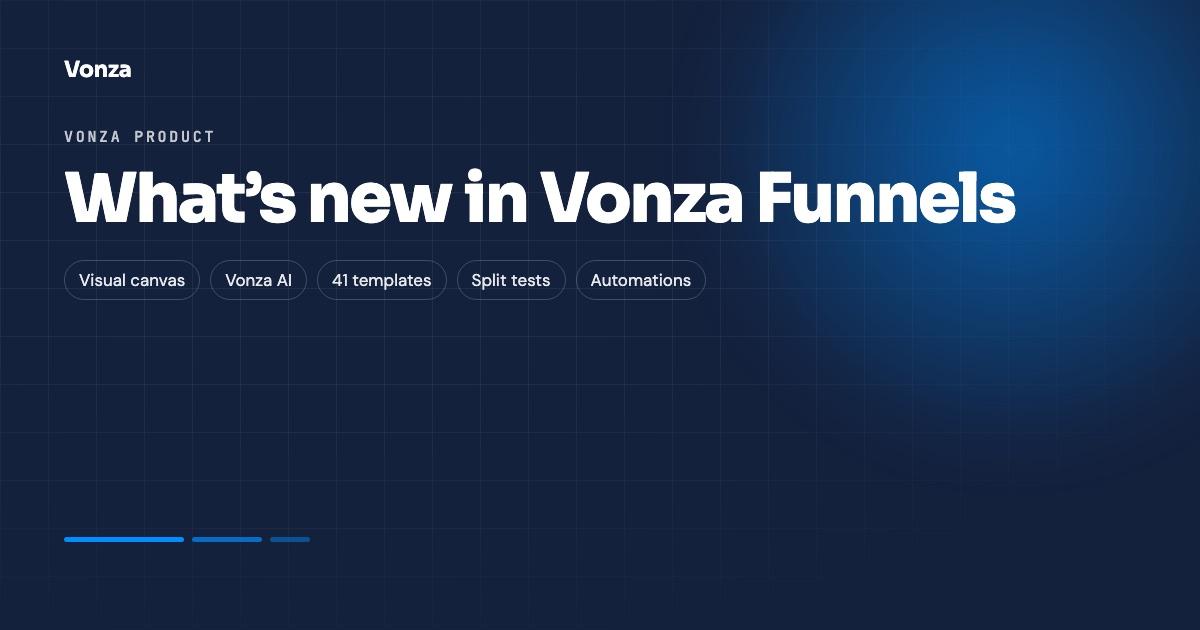
Funnels have been rebuilt as their own app. A Vonza funnel is now a row of steps on a visual canvas, with the copy written by Vonza AI or started from a template, a checkout with order bumps and one-click upsells, split tests on any step, a leads pipeline, automations and tracking, all in one place. This post walks through what is in the new Vonza Funnels and links to the pages that cover each part in detail.
How to try the new Funnels
The new Funnels is opt-in. If your account still uses classic funnels, open Funnels in your dashboard and you will see a banner that reads "New Funnels available. A new funnel builder is ready to try." with a Try the new Funnels button. The sidebar also shows a Funnels row with a New pill. Click either one to open the new app.
Your classic funnels keep working on their existing links, and you can switch back any time. Funnels built in either builder count together towards the funnel allowance of your plan, which depends on your plan; see pricing.
A funnel is steps on a canvas
The canvas shows every step of the funnel as a card: opt-in, sales page, checkout, upsell, downsell, webinar, application, thank-you and free-form pages. Each step's main button points at the next step, at the end of the funnel or at a web address, and you choose which step visitors start on. Upsell and downsell steps also have a "No thanks" path, so a declined offer can fall through to a smaller one or straight to the thank-you page.
A few rules keep a funnel honest. A funnel has one checkout step. Sales pages go before it, upsells and downsells after it, and a thank-you page cannot be the first step. The sales funnel page explains the shapes these rules produce.
Write it with AI
Click to create a funnel and choose Write it with AI. Describe your offer and who it is for, say what you are selling if you like, pick a goal and a tone (Friendly, Professional, Bold or Calm), and click Create with AI. The funnel opens right away and Vonza AI writes the copy of every page while you look around: headlines, paragraphs, labels, buttons and list items. Pictures and layout stay as the template set them, and any section you edit in the meantime is left alone.
You can pick one of your own courses or products so the pages are written about it, and you can ask AI to rewrite a funnel's copy later. Writing with AI uses AI credits, and the wizard shows roughly how much before you start. More on the AI funnel builder page.
41 templates, 7 goals, 12 industries
Prefer to start from something finished? The library holds 41 templates: nine funnel shapes, each written for the industries it suits. Filter by goal (lead, sales, webinar, product launch, application, checkout, event) or by industry (coaching, online courses, fitness, creators, online store, agency and services, events, finance, real estate, nonprofit, wellness, community). Template names follow the pattern "Coaching lead magnet" or "Online courses sales funnel".
Every template page opens in your Brand Kit colours and fonts, and any step can switch to one of 55 page designs with Change design. Templates carry no fake data: quotes are labelled placeholders and there are no invented customer counts or ratings. Browse them all in the funnel templates gallery, or start blank with a single opt-in step.
Each funnel shape has its own page
If you know which funnel you need, these pages walk through each shape step by step: the lead magnet funnel, the webinar funnel, the application funnel, the product launch funnel and its course version, the course launch funnel, the event ticket funnel, the video sales letter funnel and the quick checkout funnel.
The opt-in step
An opt-in step always asks for an email and can also ask for a name, a phone number, up to 10 extra questions and a consent checkbox. After sign-up it can deliver a freebie (a link, or an upload such as a PDF, an image, a video or an audio file), add the lead to your lists, enrol them in up to five courses or bundles and send an invitation email. Seven opt-in designs are available, from a split layout to a waitlist.
Selling: checkout, bumps, upsells and downsells
A funnel can sell your courses, communities, products, bundles, memberships, degrees and paid events, using the item's own pricing plans or one override price. The checkout step takes up to five order bumps, each with a name, price, description and an optional item it gives access to.
Upsell and downsell steps are one-click: a buyer who just paid by card adds the offer without typing card details again. Coupons, an optional additional fee, phone and address fields, extra questions, a postcode field, reCAPTCHA, a terms checkbox and a celebration are all per-funnel checkout settings. Buyers pay by card, Apple Pay, Google Pay or Klarna through Stripe, with PayPal for one-time payments, or with Paystack for sellers in naira, depending on which providers you have connected.
Leads and a pipeline
Everyone who signs up through any of your funnels lands in Leads, as a board or a table, in a pipeline with stages you can rename (New, Contacted, Qualified, Won and Lost by default; a purchase moves a lead to Won). Filter by stage, funnel, UTM source, medium and campaign or sign-up date, add leads to lists, email up to 200 at a time, and export to CSV. Leads also appear as contacts in your CRM.
Automations
Automations start when someone becomes a lead, views a page, buys, declines an offer, moves to a stage, or leaves checkout without buying. An automation can send an email or SMS, add to a list, enrol in a course or bundle, move to a stage, notify you, call a webhook, wait, and branch on a rule, up to 20 steps long. Vonza AI can draft the email or SMS from one sentence, and you check the draft before it is used.
Four recipes come ready to switch on: welcome new leads, upsell declined follow-up, downsell declined follow-up and abandoned checkout. Each is created switched off so you can read it first. The abandoned-checkout recipe follows up a lead who reached your checkout and has not bought after a wait you choose, from 5 minutes to 7 days; it reaches people who have already given you their email, not anonymous visitors. See abandoned cart recovery.
Split tests on any step
Any step can carry a split test: a second version of the page shown to a share of visitors (1 to 99 per cent), with each visitor kept on the same version. The test counts opt-ins, orders or visits to the next step depending on the step, and Pick winner keeps one version for everyone. The canvas marks tested steps with an A/B chip. The guide to split-testing a funnel step walks through it.
Tracking, stats and analytics
The Tracking tab holds your Facebook Pixel id, Google tag (Analytics 4 or Ads), Google Tag Manager id and your own head or body code, for the whole funnel or one page, and sends page view, lead and purchase events. Stats show page views, unique visitors, leads, orders, revenue and conversion for 7, 30 or 90 days, with a step-by-step drop-off view, devices and sources. Read funnel tracking pixels for the set-up.
Publishing, domains and sharing
Publish puts the funnel live at /fn/your-funnel/step on your Vonza sub-domain or on a custom domain you have already connected, and a funnel can be a site's home page. Share it with a link, an embed code or a QR code, send a copy to another Vonza creator who accepts it as a draft, or save it as a template to reuse from My templates. The post on how to share a funnel covers the details and what travels with a copy.
Affiliates and the Sales screen
Turn on an affiliate programme per funnel, set a percentage or fixed commission and the cookie window, and see each affiliate's clicks, sales and earnings. The Sales screen lists sales, orders and customers, with refunds within 30 days and disputes handled from Settings.
Where to start
Comparing tools first? Our guide to the best sales funnel builders puts Vonza beside the others with every price dated, and the ClickFunnels alternatives page covers the most common switch.
Open Funnels in your dashboard, click Try the new Funnels and build your first one from a template or with Vonza AI. New to Vonza? Start a 14-day free trial and see everything on the sales funnel page.