Create and build yourCommunity on Vonza
Bring your audience, content, digital products, events and courses — all in one place.








Give your clients a better community experience.
Build a thriving community around your knowledge and bring everything together in one place. Create a branded community space where you can share valuable content, connect with clients, and turn your expertise into a growing business.

What Is the Vonza Community?
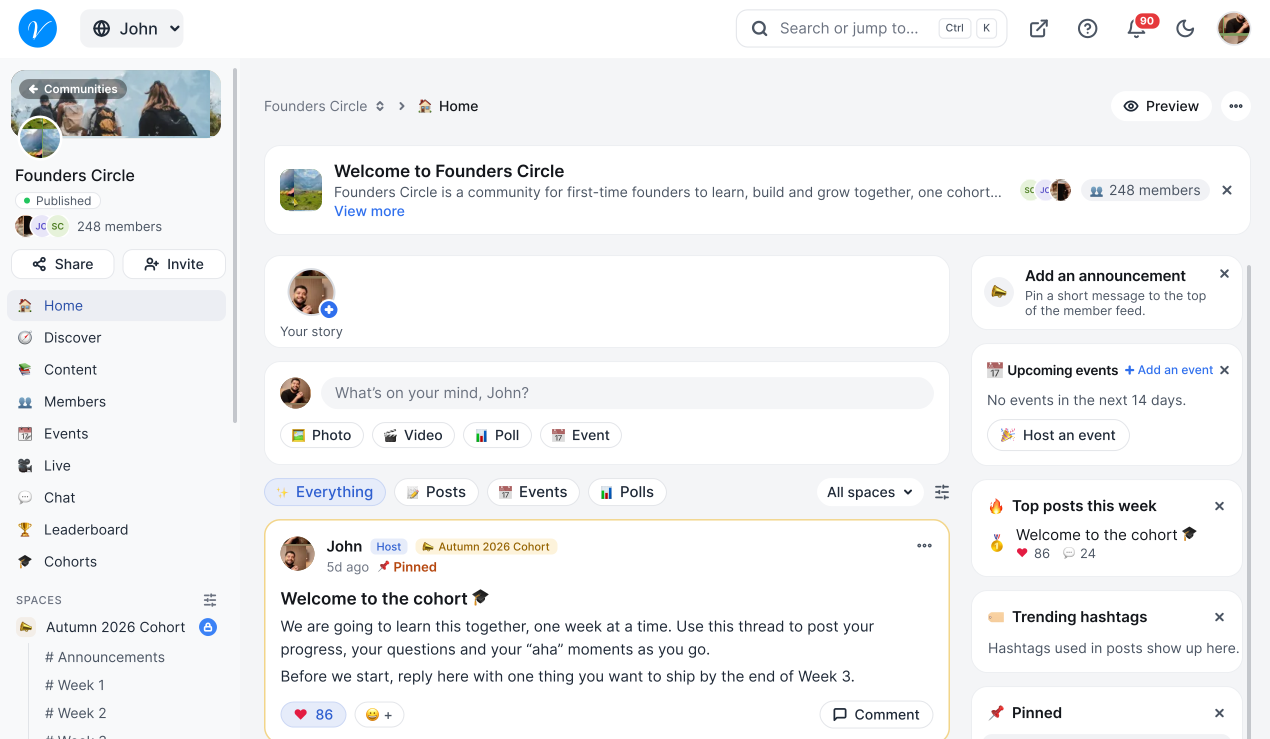
Vonza Community is the online community platform built into Vonza. It gives your members spaces and rooms to talk in, a feed, one-to-one chat, events and live streams, points and a leaderboard, and lets you sell memberships, all in one place with your courses and digital products.
Explore the Community
Why Build Your Community on Vonza?
Bring your members together, share valuable content, and turn meaningful connections into lasting growth.


Increase Member Engagement
Keep conversations active with posts, discussions, and live events.
Understand Your Audience
Gather feedback with polls and conversations to learn what members need.
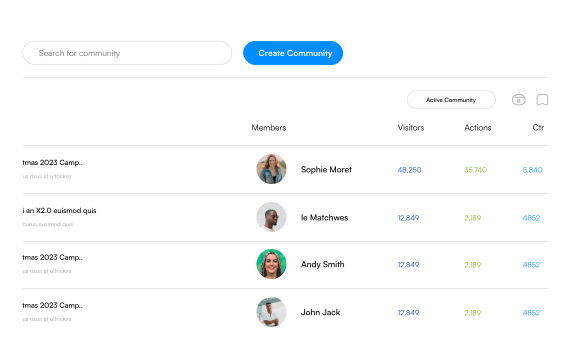
Grow Community Revenue
Offer courses, exclusive content, and paid communities in one connected space.
Build a Thriving Community
Create dedicated groups where members connect, learn, and grow together.
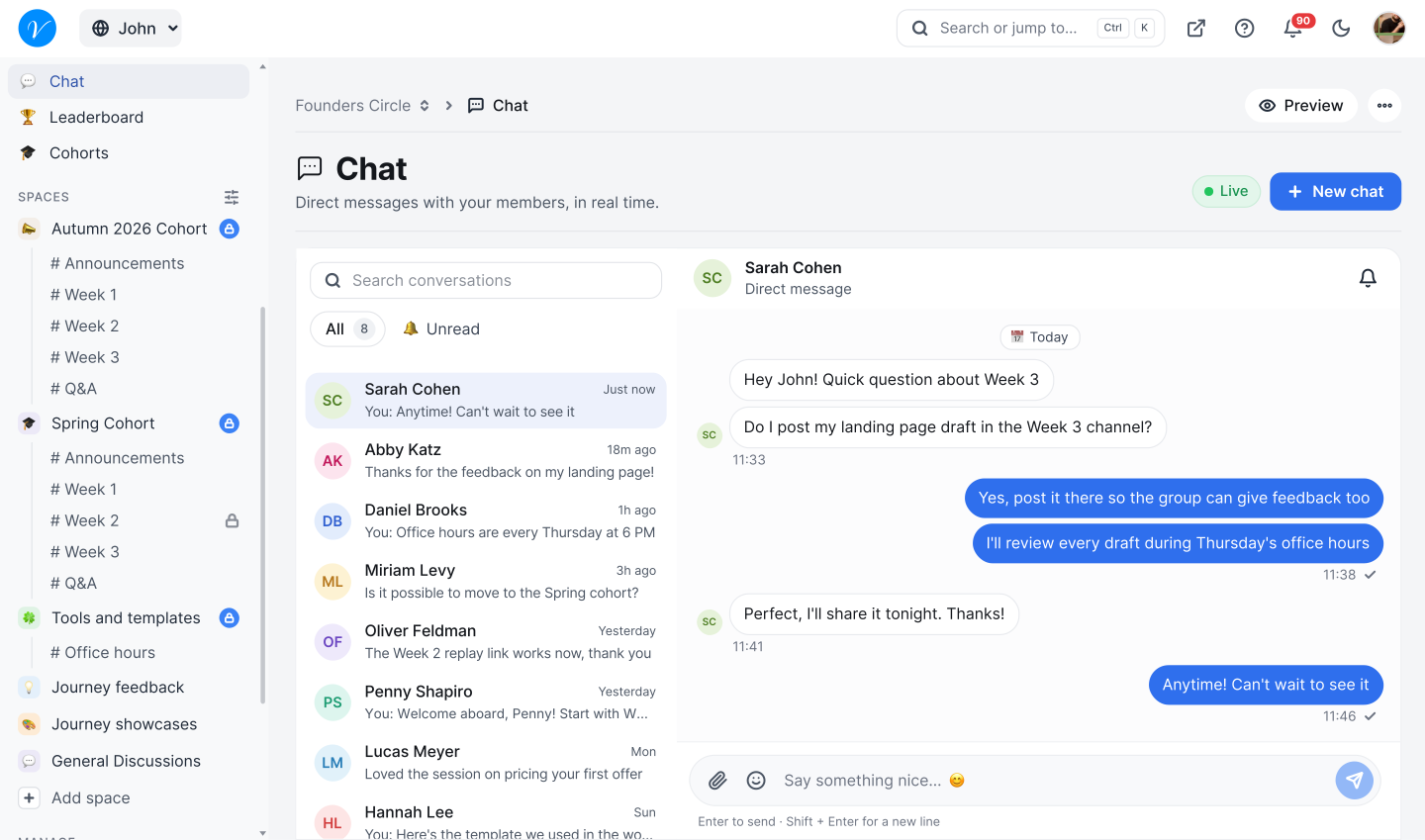
Live Chat
Talk with members one to one in direct messages, and choose who can start a conversation.
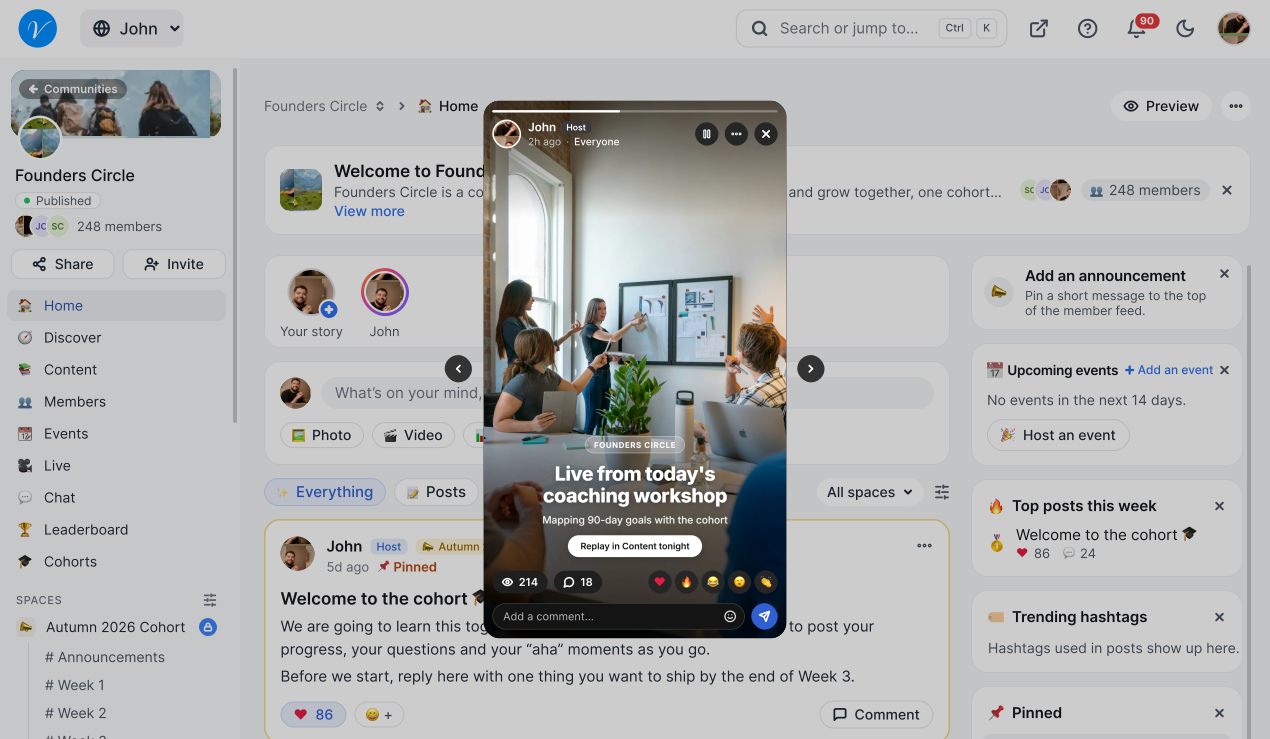
Stories
Share photos and short clips that stay up for 24 hours.
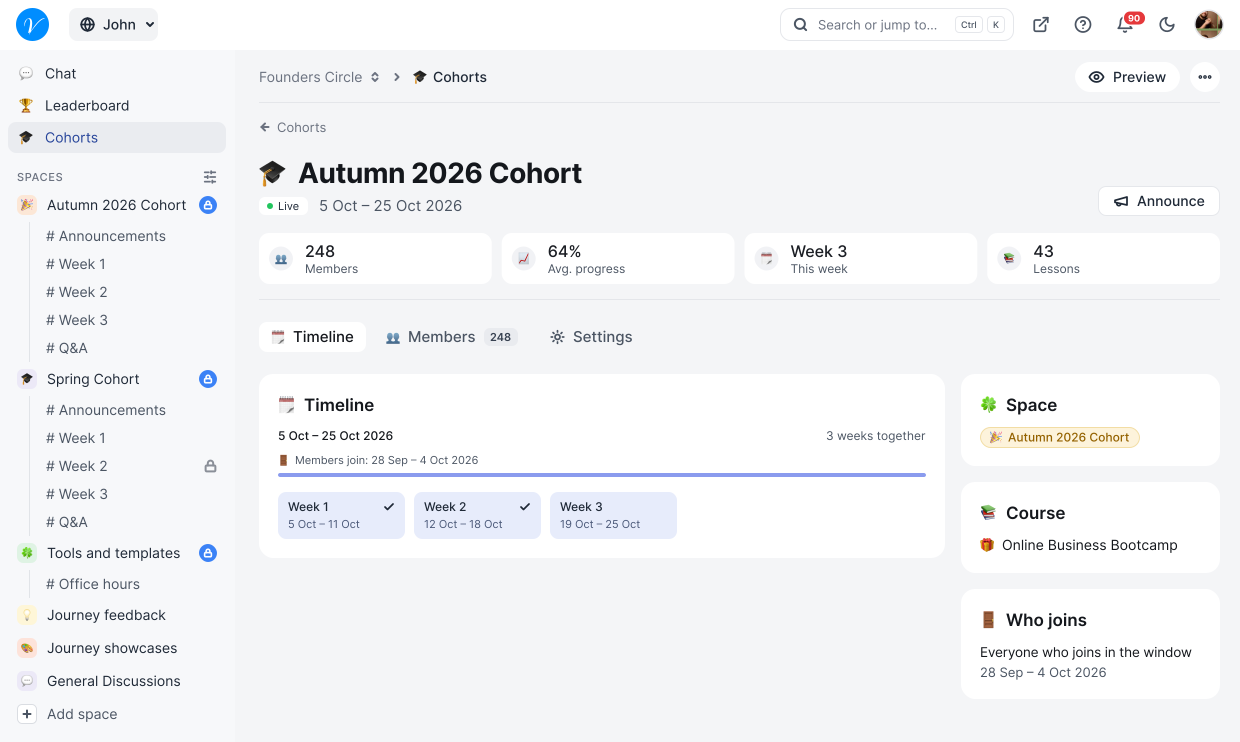
Cohorts
Run a course or challenge as a group, with a start date, an end date and a space of their own.
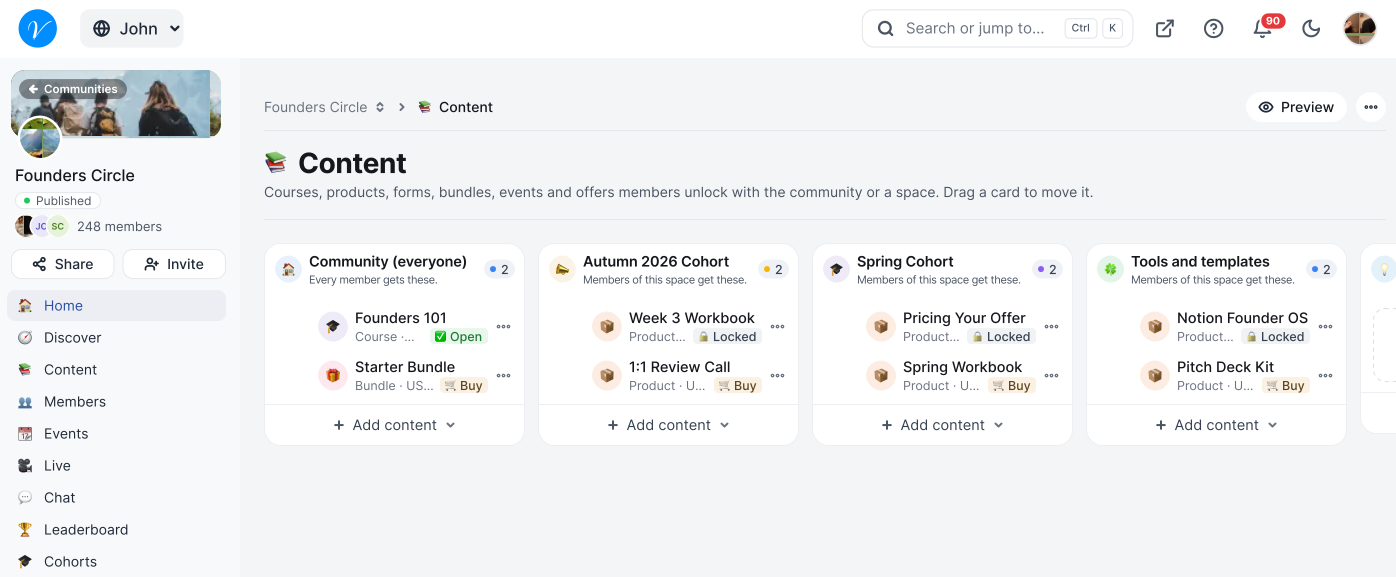
Your Content, Linked In
Link your courses, products, events and more to the community or one space, so members unlock them when they join.
How to create your own Community?
Launch your own branded community on Vonza in four simple steps.
Sign up
Create a free Vonza account and open Community from your dashboard.
Create and customize
Add a name, description, and your branding to make it your own.
Invite and engage
Share an invite link, then post content and start conversations.
Manage and grow
Moderate discussions and track growth with built-in analytics.


A Community Built for Your Growth
Connect with creators, entrepreneurs, and business owners to share knowledge, exchange ideas, and get expert advice. Discover valuable resources, join events, and build meaningful relationships that help you learn, collaborate, and grow your business.
Manage Everything
One place to start, manage and scale your benefits globally
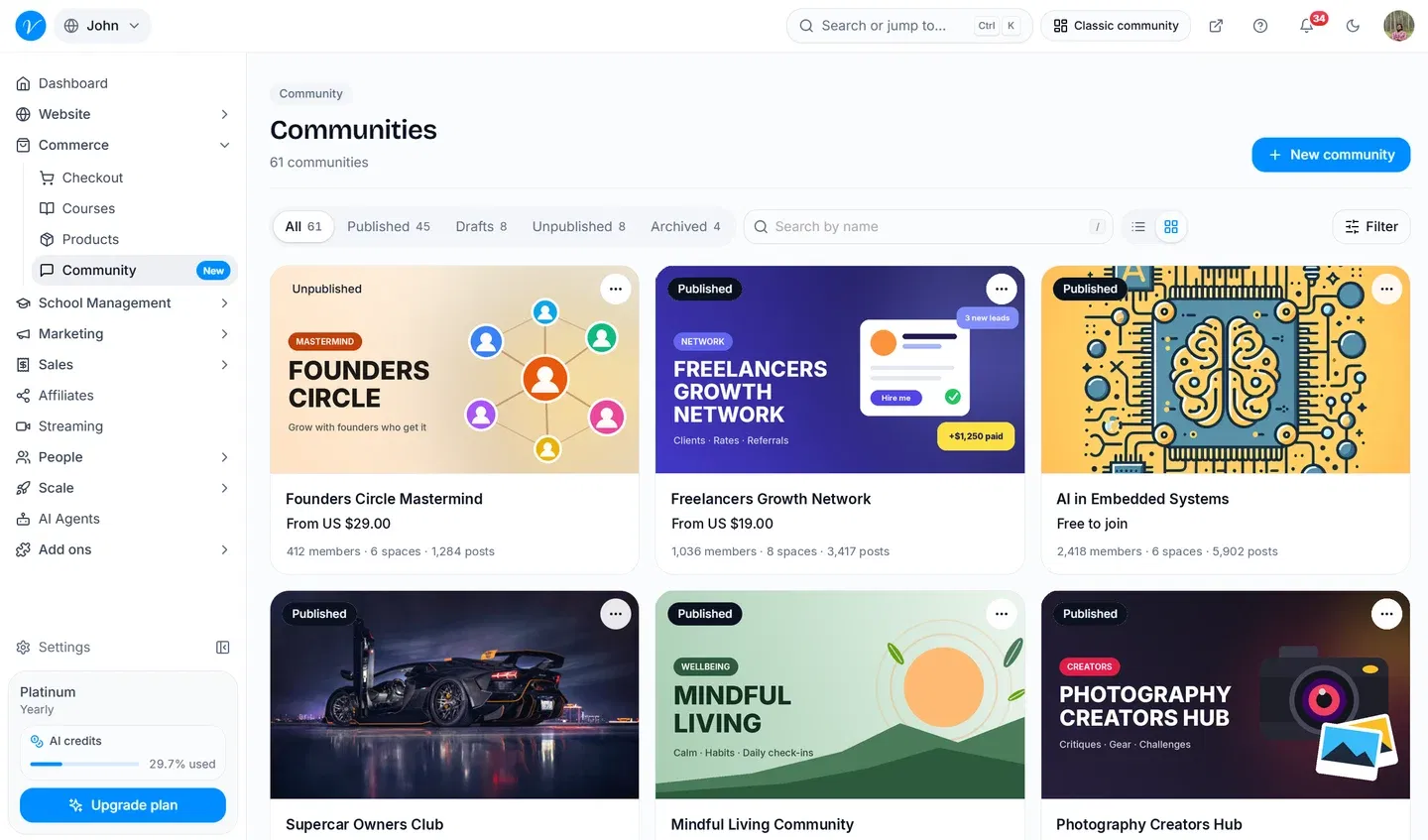
Everything in Vonza Community
Each part of the community app on its own page.
Built for your kind of community
How creators, coaches, churches and associations run their communities on Vonza.
Questions about Vonza Community
Get answers to common questions here
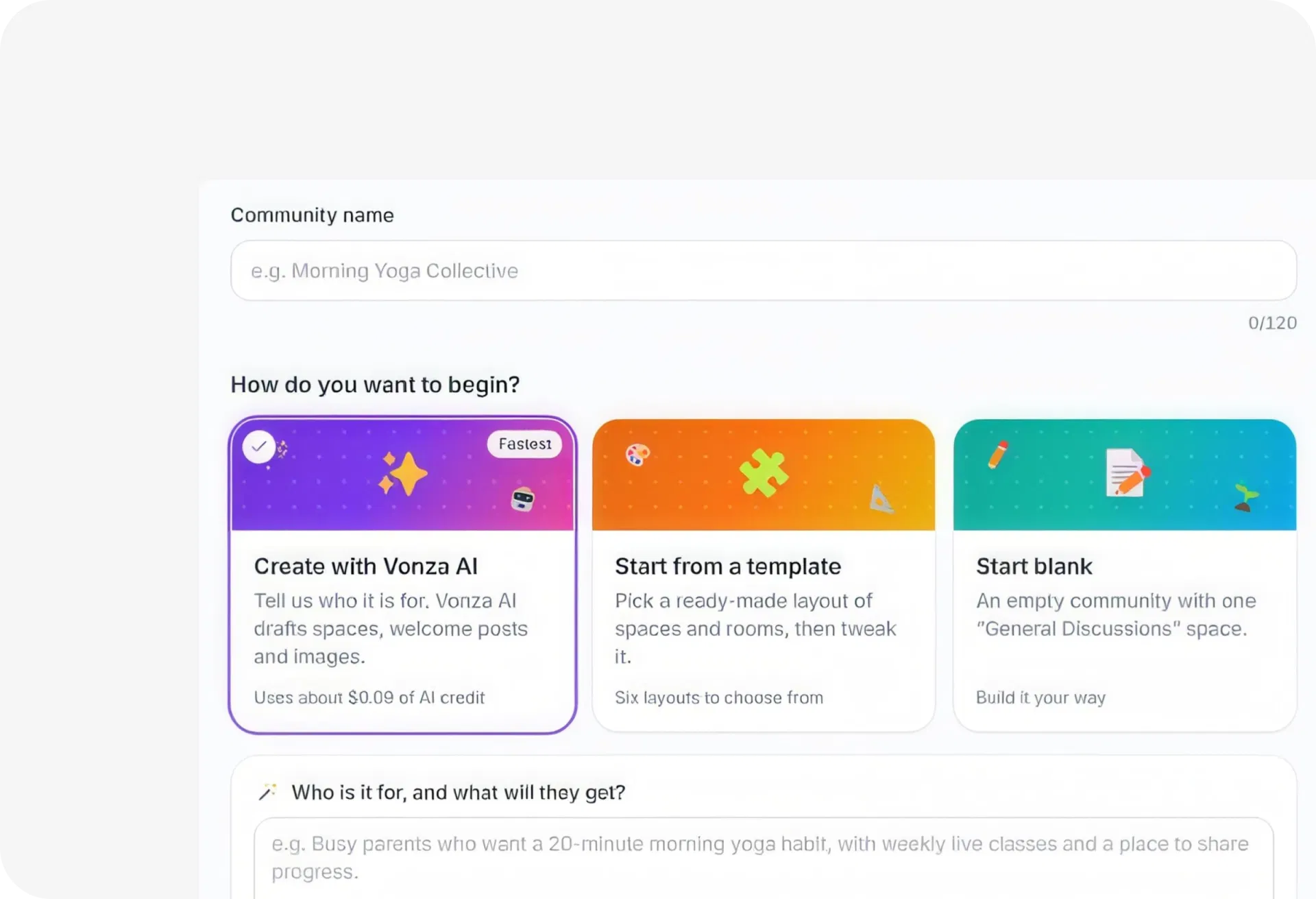
Open Community from your Vonza dashboard and choose how to start: Create with Vonza AI (tell it who the community is for and it drafts the spaces, welcome posts and images), start from one of six templates, or start blank. A three-step setup (Start, Customize, Finish) ends with your share link, and nothing is public until you publish.
Six: Course cohort, Coaching, Creator fan club, Local club, Product customers and Mastermind. Each comes with its own spaces, for example Coaching starts with Start here, Goals & check-ins, Q&A and Resources. The public page people join from has four templates of its own: Original, Standard, Stage and Rail.
Yes. Offer it free or sell it with a one-time price, a weekly, monthly or yearly subscription, a set number of recurring payments, an installment plan, a flexible payment or pay what you want, with free trials on recurring and installment plans. Members pay at checkout through Stripe or Paystack, and a space can have plans of its own.
Yes. Spaces are the main areas of your community and rooms are channels inside them. Each space can be public, private, paid or read-only, and you can link courses and products to the whole community or to one space.
Yes. Start an event from scratch or from a format (Q&A, Workshop, Co-working, Webinar, Office hours, Live stream or Meetup), make it repeat, and members RSVP and add it to their calendar, with email reminders before it starts. Go live from the post composer to stream inside the community; the recording can be posted to the feed afterwards.
Members earn a point for each post, comment and reaction. You set the levels and the points each one needs, and a level can unlock a reward such as a course or a digital product. The leaderboard shows the top three on a podium, each member’s rank and the levels ladder.
Choose whether anyone can join or people ask to join and you approve them, with membership questions. Moderation has a queue for reported, flagged and pending posts, banned words, approval of a new member’s first posts and link blocking, and you can warn, mute or ban a member. Members can report a post and block each other.
Your community works in any phone or desktop browser, laid out for small screens: the feed, a classroom for linked courses, events, members, the leaderboard, chat and their own profile page. Members choose which emails they get, such as a daily, weekly or monthly digest, and see the rest in the notification bell.
To attract members to your community on Vonza, you can promote it through social media, email newsletters, word-of-mouth, or by collaborating with other communities or influencers. You can also share your community link on your Vonza website and link in bio, and reach your audience with Vonza email marketing.
Community is included in every Vonza plan: Starter includes 2 communities, Growth includes 5, and Business and School include 1,000. Every plan starts with a 14-day free trial, so you can build your community before you pay.
This Is Where Your Business Finally Comes Together
One login. One system. One clear path to building digital income — without the overwhelm.