
In a dynamic workplace, efficient time management is increasingly challenging, but the best scheduling software can provide the foundation for success. Whether you’re a busy professional, a team leader juggling multiple projects, or a small business owner trying to keep operations running smoothly, the importance of staying organized cannot be overstated. Unfortunately, inefficient scheduling can lead to missed opportunities, wasted hours, and unnecessary stress.
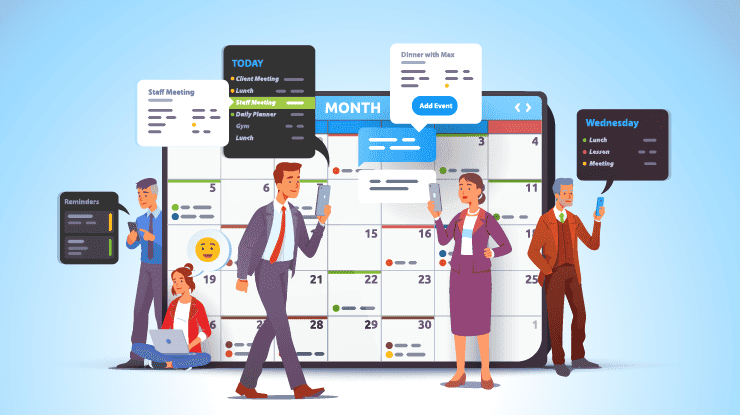
That’s where scheduling software comes in—a powerful solution designed to simplify time management and boost productivity. With the right tool, you can streamline appointments, coordinate team activities, and ensure everyone is on the same page, no matter where they are in the world.
The market is brimming with innovative scheduling solutions equipped with cutting-edge features like AI-powered automation, seamless integrations, and mobile-friendly interfaces. But with so many options available, how do you find the one that’s perfect for you?
To make your search easier, we’ve compiled a list of the top 10 scheduling software solutions that promise to transform the way you manage your time and tasks. Whether you’re looking for a tool to schedule client meetings, organize team shifts, or simply optimize your personal productivity, this guide has got you covered.
Let’s dive in and discover how these tools can help you achieve streamlined productivity!
Turn your time into profit – Explore Vonza now!
What is Scheduling Software?
Scheduling software is a digital tool designed to help individuals and organizations manage their time more effectively by automating the process of scheduling appointments, meetings, and tasks. This software serves as a centralized platform where users can create, manage, and track their schedules, ensuring that they make the most of their available time. The primary purpose of scheduling software is to reduce the administrative burden associated with manual scheduling, eliminate conflicts, and enhance overall productivity.
What are the Major Features of Best Scheduling Software?
Modern scheduling software comes equipped with a variety of features that cater to the diverse needs of users. Below are some functionalities commonly found in these tools:
-
Calendar Integration: Most scheduling software seamlessly integrates with popular calendar applications such as Google Calendar, Microsoft Outlook, and Apple Calendar. This feature allows users to synchronize their schedules across multiple platforms, ensuring that they have a unified view of their appointments and commitments.
-
Automated Reminders: Scheduling tools often include automated reminder notifications for upcoming meetings or appointments. These reminders can be sent via email or SMS, helping to reduce no-shows and ensuring that participants are well-prepared for their engagements.
-
Task Management: Many scheduling solutions incorporate task management features, allowing users to create and assign tasks alongside their scheduled events. This integration helps teams stay organized and ensures that important deadlines are met.
-
Team Collaboration: Scheduling software often includes collaborative features that enable teams to coordinate meetings efficiently. Users can share their availability, propose meeting times, and facilitate group scheduling without the need for lengthy email exchanges.
-
Customizable Booking Pages: Some tools allow users to create personalized booking pages where clients or team members can view availability and book appointments directly. This functionality streamlines the booking process and enhances customer experience.
-
Time Zone Management: For businesses operating across different geographical regions, effective time zone management is crucial. Scheduling software automatically adjusts meeting times based on participants’ time zones, ensuring that everyone is on the same page.
-
Reporting and Analytics: Advanced scheduling tools may offer reporting features that provide insights into meeting patterns, attendee engagement, and overall productivity metrics. This data can help organizations make informed decisions about resource allocation and time management strategies.
Benefits of Using Best Scheduling Software
The adoption of scheduling software brings a multitude of benefits that can significantly enhance both individual and organizational productivity. Below are some of the merits:
1. Improved Time Management and Organization
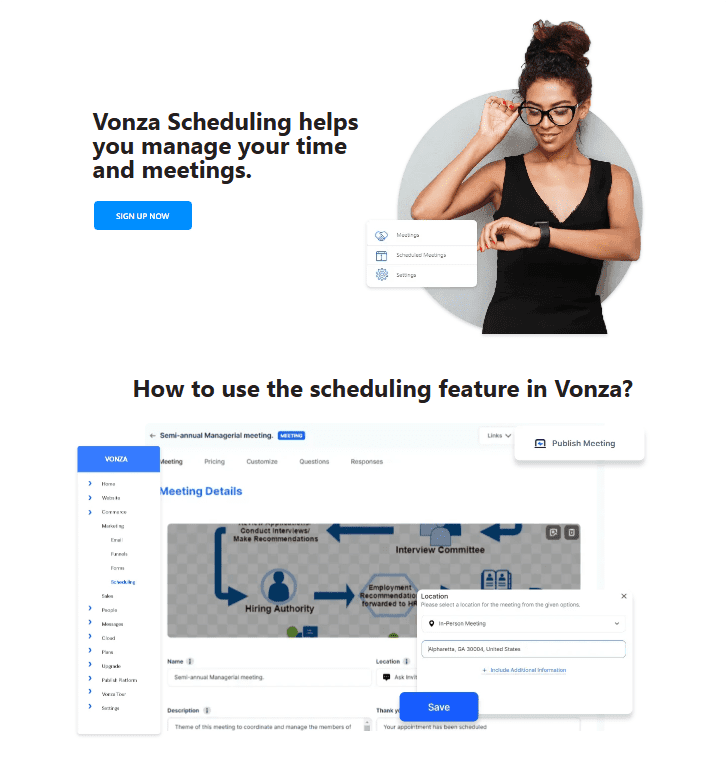
Scheduling software allows users to take control of their time by providing a clear overview of their commitments. With features like calendar integration and automated reminders, individuals can efficiently plan their days, prioritize tasks, and allocate time for important activities. This improved organization reduces the likelihood of double-booking or overlooking appointments, enabling users to make the most of their available hours.
2. Enhanced Team Collaboration and Communication
In today’s collaborative work environments, effective communication is essential. Scheduling software facilitates seamless collaboration among team members by allowing them to share their availability and propose meeting times easily. This transparency helps teams coordinate schedules without the back-and-forth emails that can lead to confusion and frustration. Additionally, many scheduling tools offer features like group polls or shared calendars, making it easier for teams to find common meeting times and ensure everyone is on the same page.
3. Increased Efficiency and Productivity
By automating the scheduling process, these tools free up valuable time that can be redirected toward more strategic tasks. Users no longer need to spend hours coordinating schedules or sending reminders; instead, they can focus on their core responsibilities. The efficiency gained from using scheduling software often translates into higher productivity levels, as teams can accomplish more in less time while maintaining a clear focus on their objectives.
4. Reduction of Scheduling Conflicts and Missed Appointments
One of the most significant challenges in managing schedules is dealing with conflicts and missed appointments. Scheduling software minimizes these issues by automatically checking for conflicts when setting up meetings and sending out notifications to all participants. With features like automated reminders and easy rescheduling options, users are less likely to forget about appointments or miss important meetings. This proactive approach not only enhances accountability but also fosters a culture of reliability within teams.
Criteria for Choosing the Best Scheduling Software
Selecting the right scheduling software can make or break your productivity strategy. With numerous options available, identifying the most suitable tool requires careful consideration of several key factors. Here’s what to look for:
1. Ease of Use: User-Friendly Interface and Minimal Learning Curve
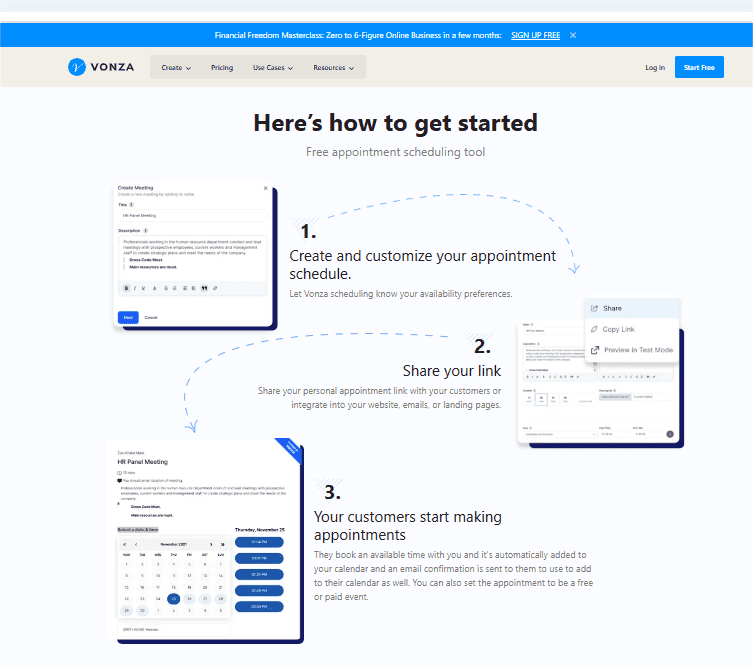
A scheduling tool should simplify your workflow, not complicate it. Look for software with an intuitive interface that minimizes the need for extensive training. A drag-and-drop scheduler, clear navigation, and helpful tooltips can ensure that you and your team can get started with minimal effort.
2. Features: Essential Tools for Productivity
The right scheduling software should offer the features you need to streamline operations:
- Calendar Integrations: Seamless synchronization with Google Calendar, Outlook, and other calendar systems.
- Notifications and Reminders: Automated alerts to keep you and your team on track.
- AI Scheduling: Advanced tools that suggest optimal meeting times and resource allocations.
- Reporting and Analytics: Insights into productivity trends, resource utilization, and team performance.
3. Pricing: Balancing Features with Affordability
Pricing is often a decisive factor when choosing software. Many tools offer free basic plans, which are great for individuals or small teams, while premium plans unlock advanced features for larger organizations. Compare pricing tiers to ensure you’re getting the best value for your budget.
4. Scalability and Customization: Growing with Your Needs
Your scheduling software should adapt as your needs evolve. Choose a tool that offers scalability, whether you’re a solo entrepreneur today or managing a growing team tomorrow. Customizable features, such as personalized workflows or branded client portals, can further enhance its utility.
5. Customer Support: Reliable Assistance When You Need It
Even the best tools can encounter hiccups. Reliable customer support, including live chat, email assistance, and comprehensive knowledge bases, is crucial. Responsive support ensures that any issues are resolved quickly, minimizing disruptions to your workflow.
Best Scheduling Software Solutions
We’ve chosen 10 scheduling software that excels at different things. From workload management and employee scheduling to task scheduling and booking customer appointments, there’s software with the right features to fit your business needs.
1. Vonza
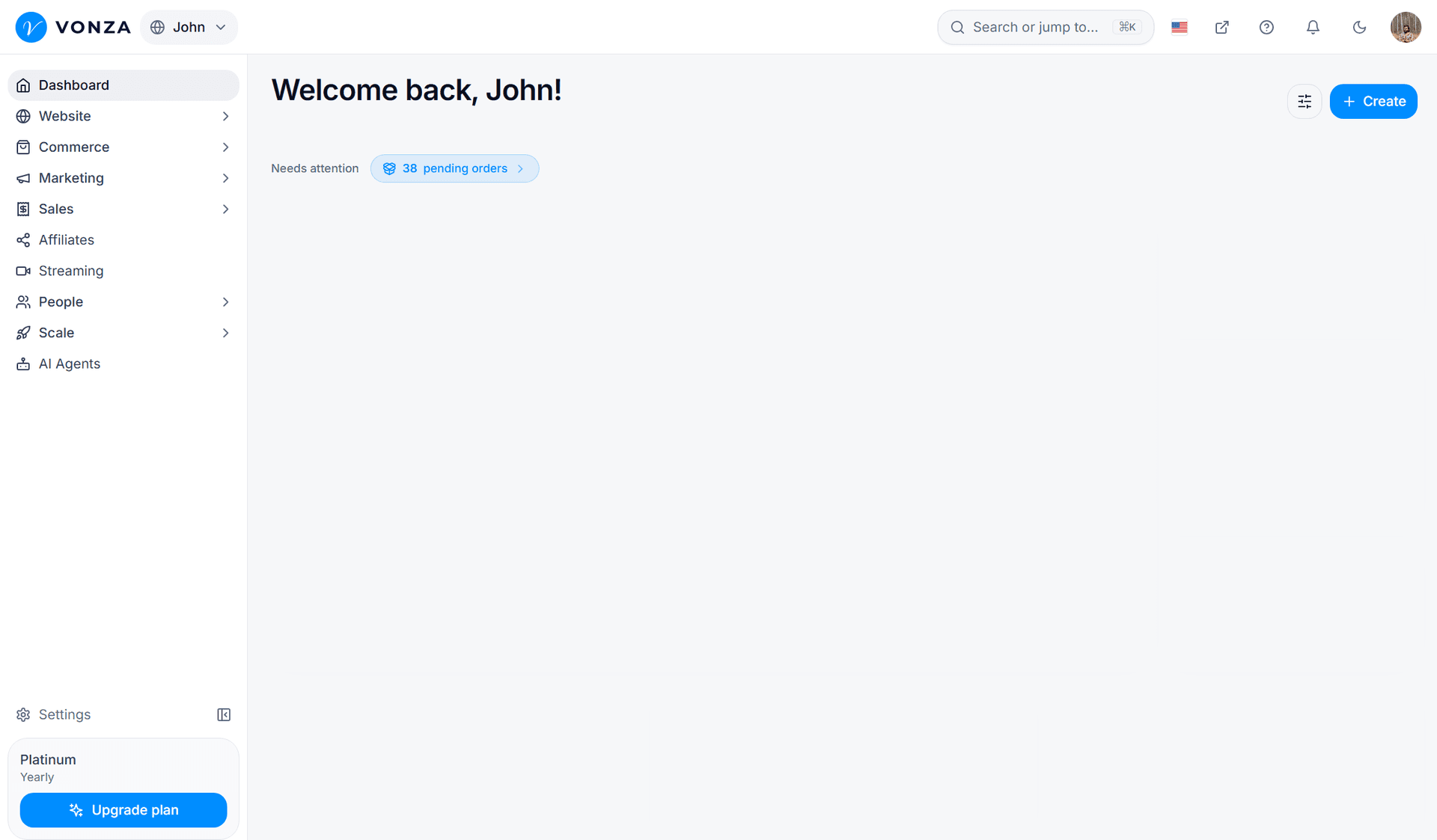
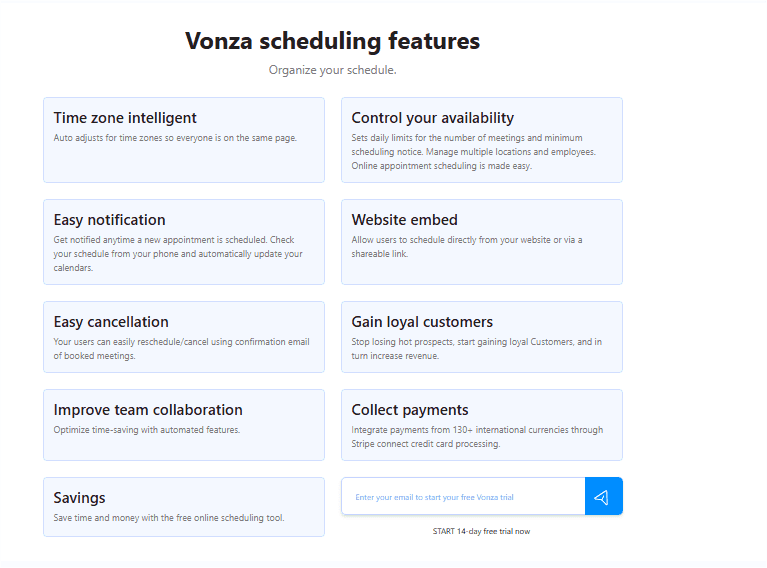
Vonza is appointment scheduling built into an all-in-one business platform: the booking page sits in the same account as your courses, community, email, store and checkout, so a booked call is a CRM contact and a buyer without any connector. The new Vonza Scheduling shipped in November 2026 and sits beside the classic scheduler in your admin; you open it from the Scheduling row marked New.
Vonza Best Features
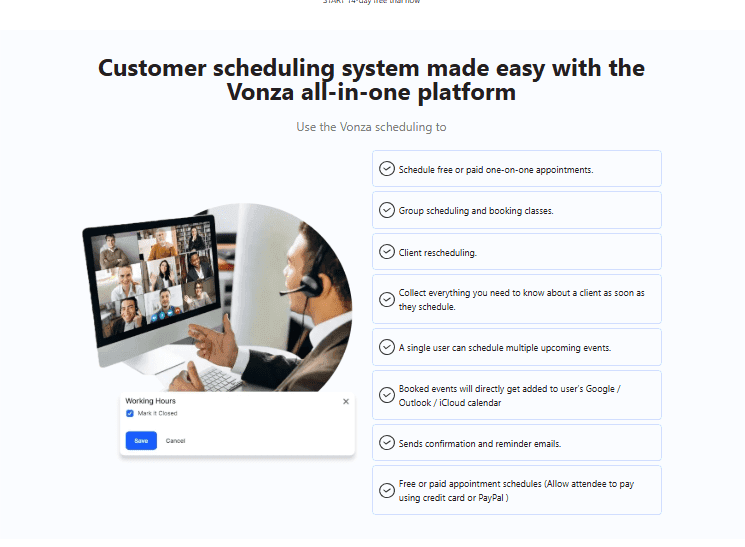
- Six kinds of meeting: one-on-one, group sessions with a seat count, round robin, collective, one-off links and meeting polls.
- 137 ready-made booking pages in 15 categories, or describe the meeting in one line and let Vonza AI draft it (uses AI credits).
- Google Calendar, Outlook / Microsoft 365 and Apple iCloud (read only) are checked for conflicts, so a busy time is never offered.
- Minimum notice, buffers, a daily cap, a booking window in calendar or business days, and time off for holidays.
- Bookers see times in their own time zone, or you lock the page to one zone for in-person meetings.
- Up to 30 questions before the meeting in 13 types, including file upload and signature.
- Share a link or QR code, embed the page inline or as a floating button, or add it to your Link in bio page.
- Nine price kinds, including deposits and session packs, paid by card, Apple Pay, Google Pay, Klarna, PayPal or Paystack in Nigerian naira.
- Email reminders are on by default; text reminders come from your SMS allowance when Text reminders is switched on.
- Bookers reschedule or cancel from their email within the deadline you set.
- Every booker becomes a CRM contact; HubSpot, Mailchimp, Slack, Discord and Teams connect, and signed webhooks feed Zapier, Make and n8n.
- An intake form built in Vonza Forms can collect client details first and send people on to your booking page.
Limitations
- The new Scheduling is new: a seller opts in from the admin, and bookers see the new booking pages once the owner turns them on in Booking settings.
- Zoom, Google Meet and Microsoft Teams joining links need the app connected to your account first.
Pricing
- Scheduling is included in every Vonza plan, and every plan starts with a 14-day free trial. See the pricing page for the plans.
2. Appoint.ly
There’s nothing complicated about Appoint.ly, and that’s part of this online scheduling tool’s charm. It allows you to set your schedule and share your availability through a link you can send to anyone.
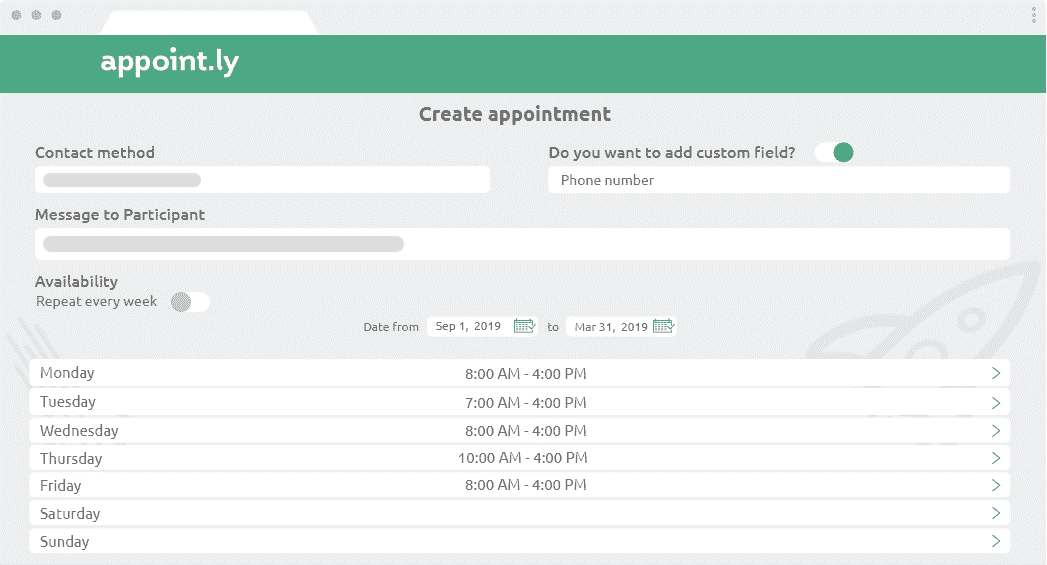
This appointment scheduling software has an easy-to-use interface and is great for remote workers, distributed teams, and sales teams. It’s also ideal for professional service providers with clients in multiple time zones.
Features
- The online scheduling features allow you to share your availability through a link that you can share via messages, emails, or your website
- Time zone synchronization makes it easier to plan meetings with people around the world and reduces the risk of no-shows
- Integrations with Google Calendar, iCloud, Outlook, Office 365, and Exchange
Limitations
- Some users report they don’t receive notifications when new appointments are booked, so they have to check their calendars regularly for changes
- This app doesn’t offer integrations with payment processing systems
Pricing
- Basic plan: Free
- Pro plan: $8 per user per month
- Enterprise plan: Custom pricing
3. HoneyBook
HoneyBook is here for freelancers and small companies whose businesses run on proposals, contracts, and invoices—and lots of coffee. While HoneyBook won’t supply your daily caffeine intake, it will help you run the rest of your business. Yes, it’s a scheduling software, but it’s not just a scheduling software.
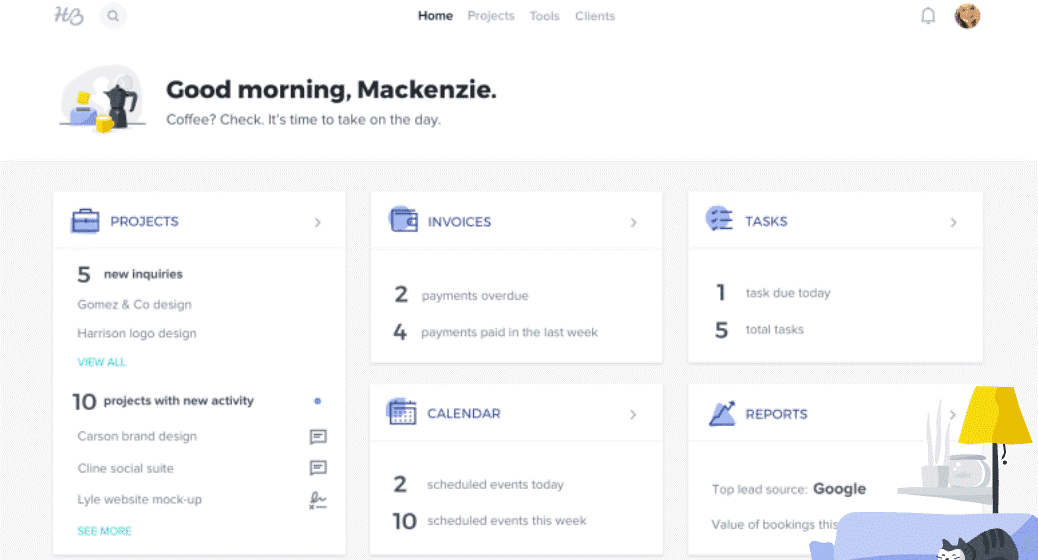
You can advertise your services, book client meetings, manage your project documents (like proposals, contracts, and invoices), and collect credit card payments in one place.
Features
- Share your availability through a link that allows clients to book a meeting
- Set multiple appointment types so your clients book you for the right service and the right amount of time
- Schedule, invoice, and accept payments from within the same app
- Brand your scheduling, contracts, invoicing, and payment portal so clients know they’re contacting the right business
Limitations
- Many users report difficulty getting setup and experience a steep learning curve when they start working with HoneyBook’s features
- While you can use HoneyBook for both scheduling and payment processing, users report that the payment processing time is slow
Pricing
- Starter: $8 per month
- Essentials: $16 per month
- Premium: $33 per month
4. Calendly
Perhaps the best-known scheduling software, Calendly is one of the early online booking. All Calendly plans allow you to share your schedule through a link—because sharing is caring.
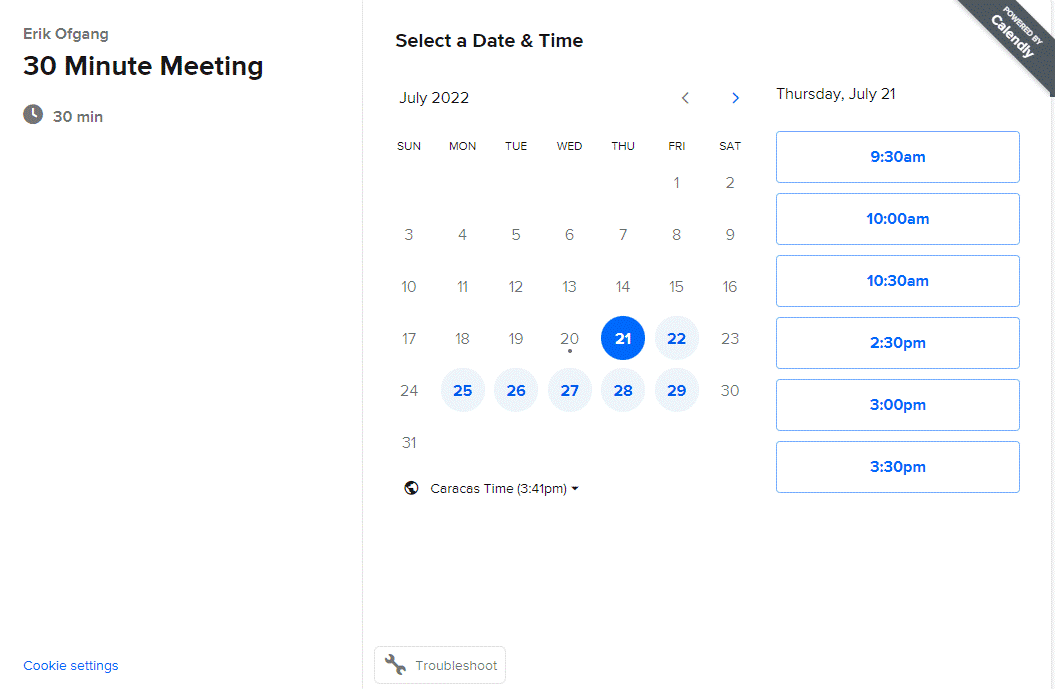
Once you share your link, people can see your availability and book a time with you. Calendly is good for freelancers, but it’s also a good option for small and large teams.
Features
- Easy online booking with a shareable link
- Customizable workflows that let you send personalized text or email reminders and follow-ups
- Ability to embed your Calendly link on your website or in your email signature to streamline your scheduling process
- Integrations with multiple calendar apps, point-of-sale systems, CRMs, and communication platforms
Limitations
- Features are extremely limited on the free plan, only allowing you to set up free appointment scheduling for one type of event and one calendar integration
- Some users report glitches in the calendar integration that have led to double bookings or have failed to update and show their additional availability after cancellations
Pricing
- Basic: Free
- Essentials: $8 per person per month
- Professionals: $12 per person per month
- Teams: $16 per person per month
- Enterprise: Custom pricing
5. Square Appointments
If you’re looking for good appointment-scheduling software for salons, spas, yoga studios, fitness centers, and other appointment-based services, then Square Appointments definitely make a good option.
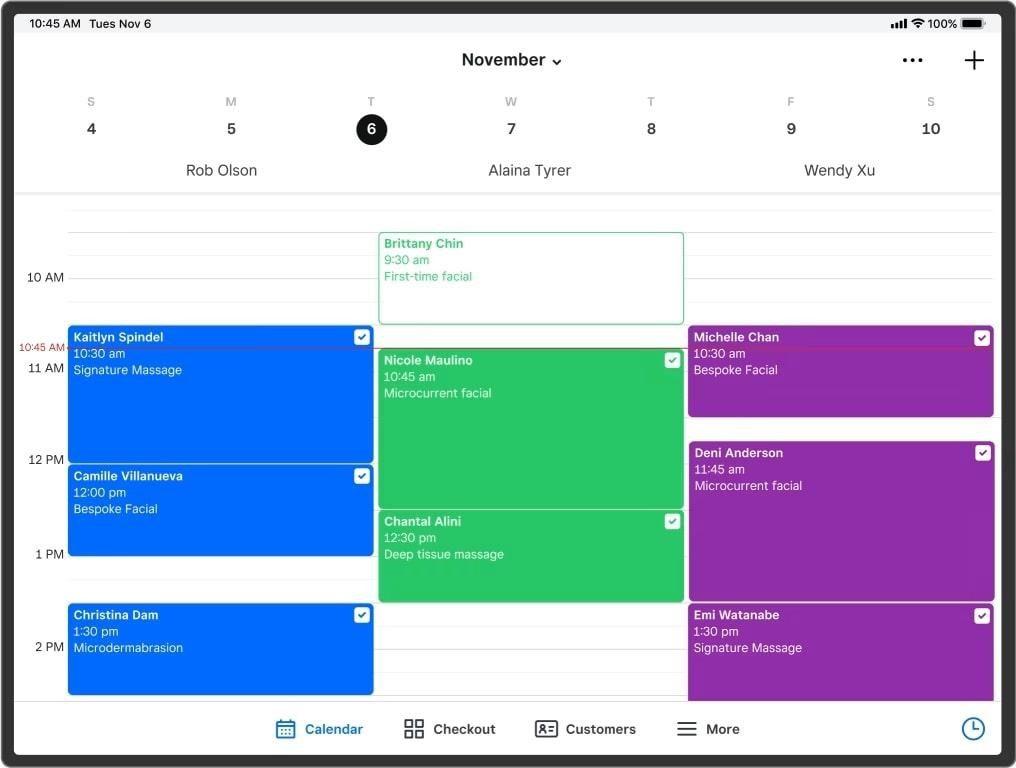
This software is made by the same company that makes Square, the popular point-of-sale system. For businesses that already use Square to process payments, this scheduling program will fit seamlessly into your existing workflow.
Features
- Let customers book appointments or classes from your website
- Send out automatic appointment reminders
- Set your own cancellation policy and add no-show fees
- Create customer profiles and allow clients to keep cards on file
- Use e-commerce features to sell products online in addition to your appointment-based services
Limitations
- The appointment times always appear in the business owner’s timezone. They don’t update to the user’s time, which can make it confusing for clients in different timezones
- The software has limited options for adding extra client information, categorizing your services, posting policies, and adding intake forms
Pricing
- Free
- Plus: $29 per month
- Premium: Custom pricing
6. Picktime
Picktime is made for various businesses, but it’s ideal for companies that need to schedule locations and equipment for appointments.
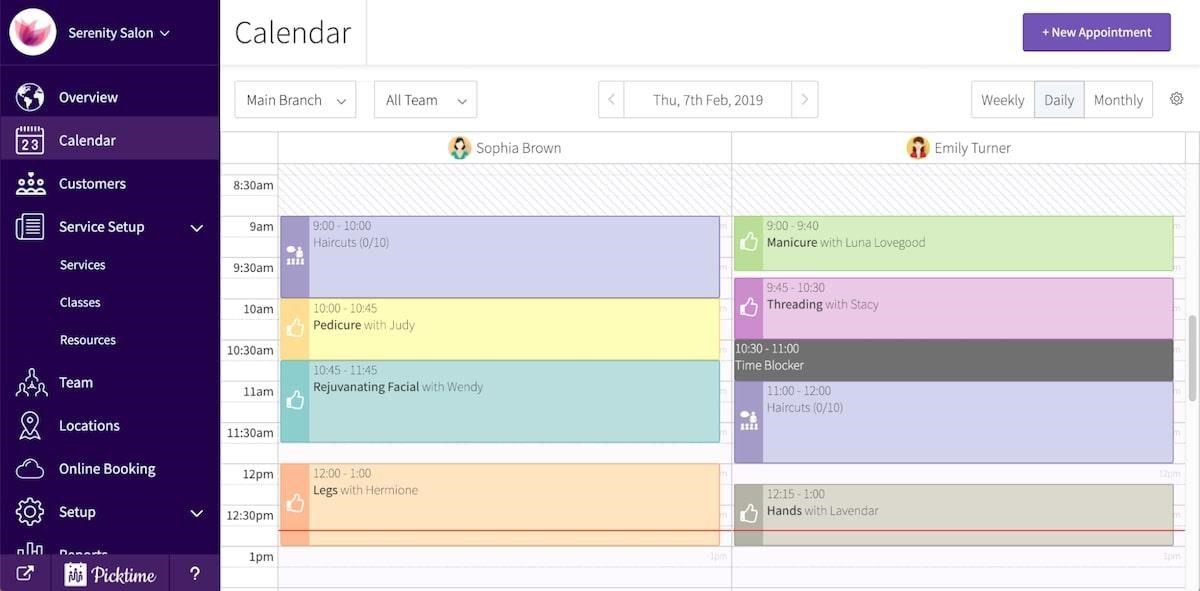
Maybe you run a salon where each of your stylists needs to schedule their chair when they choose their availability. Perhaps you run continuing education classes, and you need to book a classroom and a projector. Or maybe you work at a big company with limited conference rooms—and the competition to book one can be fierce!
Features
-
A booking widget on your website lets customers book online 24/7
-
Booking forms help you understand your customers’ needs before their first appointment
-
Recurring appointments in your digital planner to allow your clients to set standing meetings with you
-
Emails and SMS reminders decrease no-shows
-
Team management features will add appointments to your team member’s personal calendars as you assign them
-
Integrations with Stripe and PayPal allow you to take customer payments when they book their appointment
Limitations
- It’s difficult to duplicate schedules and other data, so you’ll have to enter information manually each time
- You have to send out notifications individually, as there’s no way to simultaneously notify everyone of a change in time or location
Pricing
- Free
- Starter: $3 per user per month
- Pro: $2.25 per user per month
7. Setmore
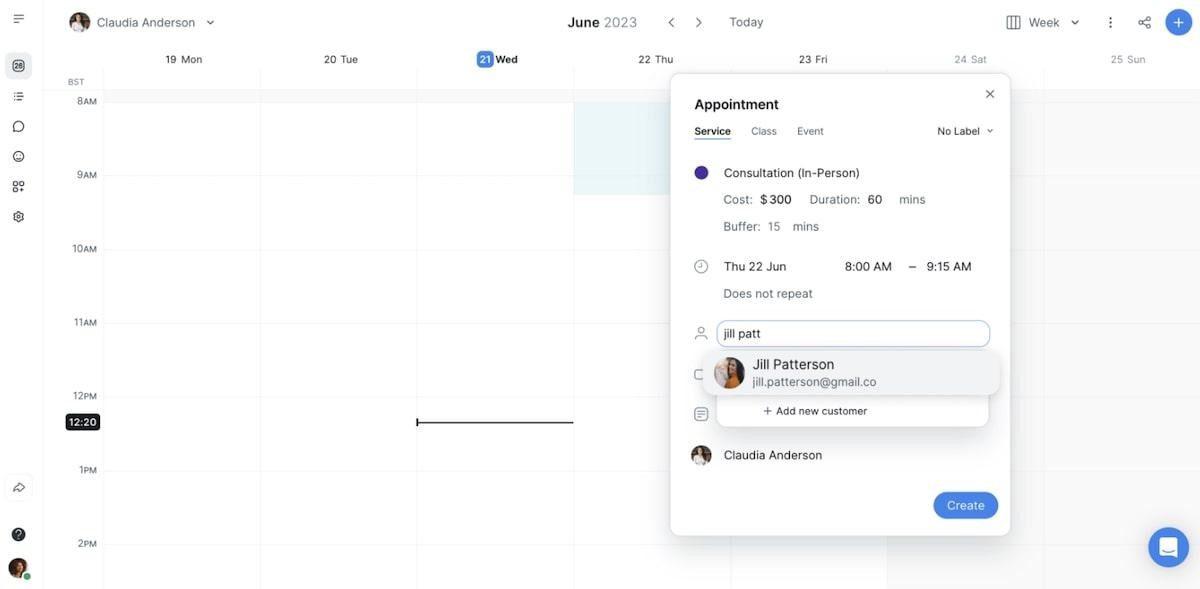
Another scheduling software built for small businesses, Setmore has features for beauty, wellness, healthcare, creative services, professional services, and trade professionals.
This software has a list of functions that we’d describe as not too much and not too little for most local businesses. With this software, your customers can book and pay online.
Features
-
An online booking page with a service menu helps customers book the right appointment
-
Customer reviews display on your booking page to encourage new customer appointments
-
Automatic confirmations, email reminders, and text message reminders discourage no-shows
-
Integrations with Square and Stripe allow you to take payments directly from your booking page
Limitations
- Instead of the appointment scheduler appearing on your website, clients must go through a Setmore URL to schedule appointments
- You cannot create multiple formats for follow-up emails, so customers will see the same instructions regardless of which type of appointment they book
Pricing
- Free
- Pro: $5 per user per month
- Team: $5 per user per month
8. Planable
Planable is a content scheduling software that also lets you build content, format it for different platforms, and get approval in the same space. It’s one-part scheduling platform and a one-part project management software designed specifically for content creators, teams, and agencies.
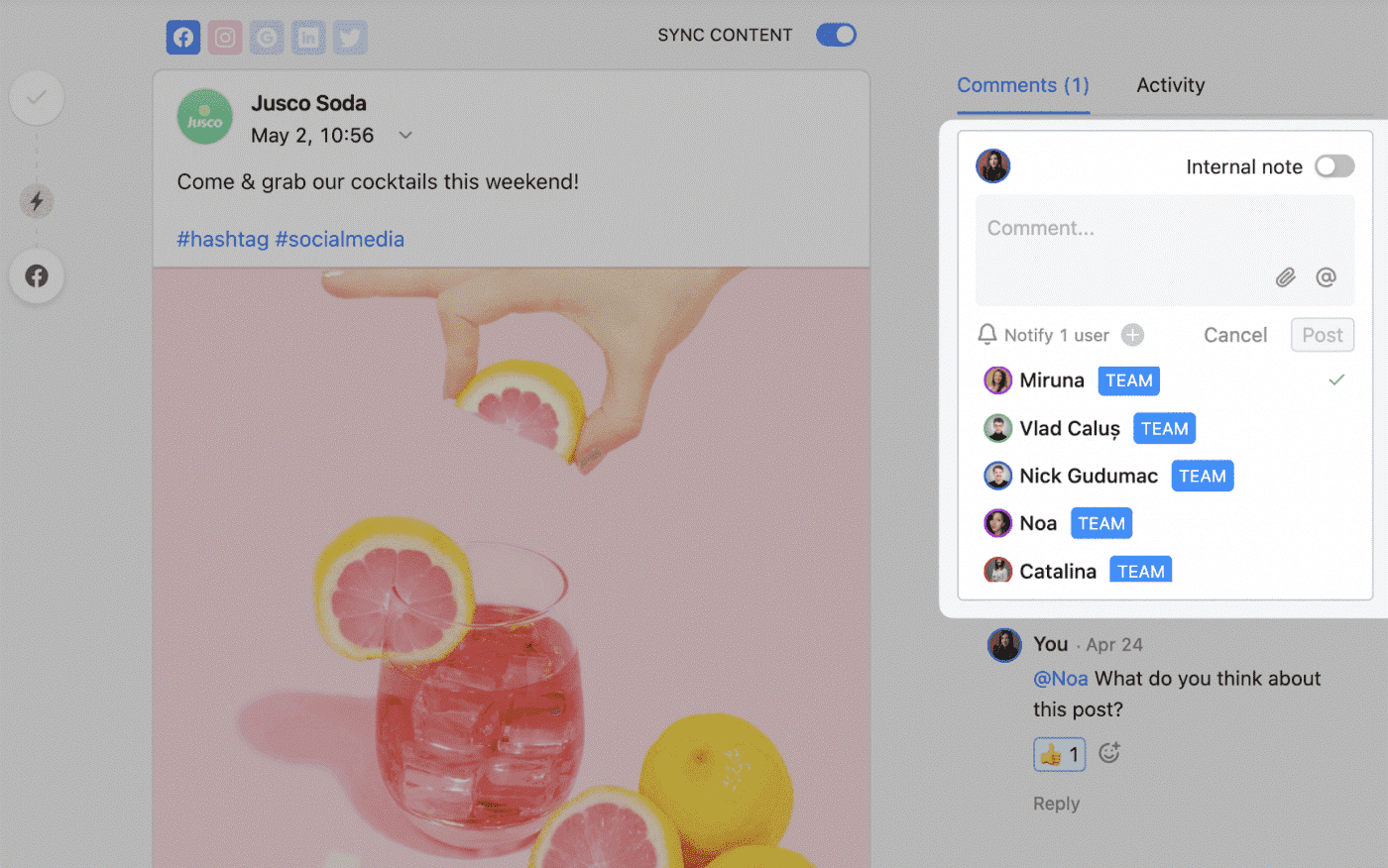
This software helps you go from visualizing your posts to approving and scheduling them in one place.
Features
- Comment and approve right next to the post
- Schedule your seasonal and evergreen content to post automatically
- Post to Facebook, Instagram, TikTok, Pinterest, X, LinkedIn, and Google My Business
Limitations
- In-app photo editing is limited, so you’ll need to edit and resize your images for each social media platform before you upload them to your post scheduler
- It can be difficult to duplicate targets and tags from previous posts, so you may end up manually inputting the same information multiple times
Pricing
- Free plan
- Basic plan: $11 per user per month
- Pro plan: $22 per user per month
- Enterprise plan: Custom pricing
9. Deputy
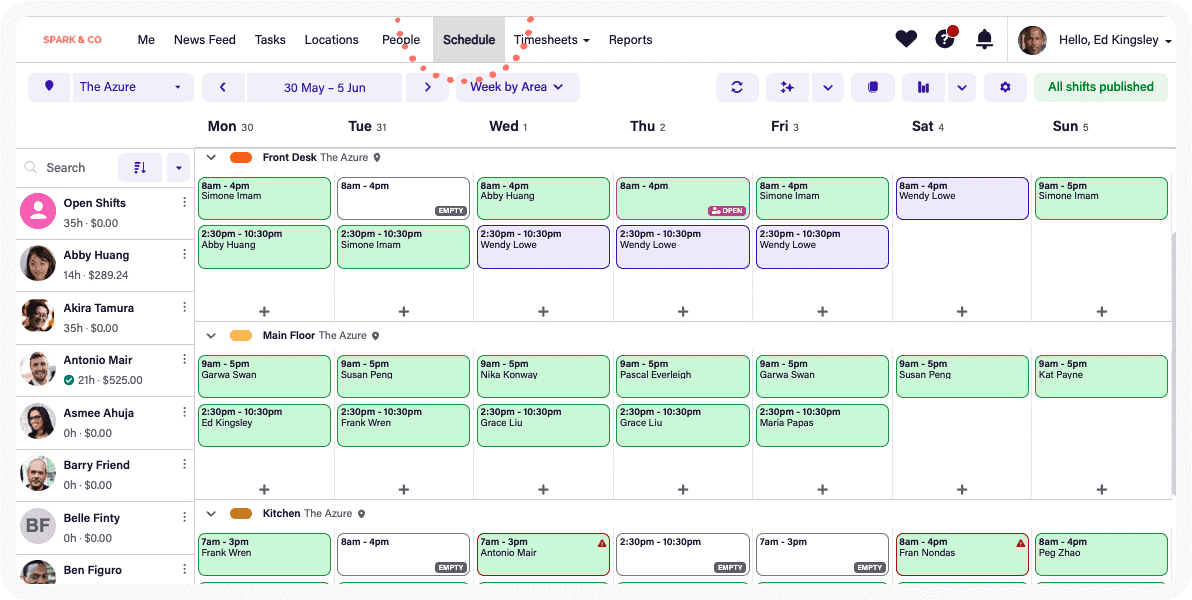
This shift scheduling software allows you to see employee availability, create a shift schedule, and share it online. If you have open shifts, you can post them and allow team members to claim them. Or you can let employees swap their shifts with anyone who’s qualified. It’s all done through the software.
Features
- Create and share your employee shift schedule online
- Fill shifts and manage call-outs in real-time
- Track employee timesheets
- Integrate it with your payroll, point-of-sale, or human resources systems
Limitations
- It can be challenging to duplicate a custom scheduling template, and it doesn’t remember your employee availability month after month, so you may find yourself manually inputting the same information each time you schedule
- This app performs best on iOS devices. If you use Microsoft, Linux, or Android, you may not have access to all the features
Pricing
- Free
- Premium: $4.90 per user per month
- Enterprise: Custom pricing
10. Acuity Scheduling
Acuity Scheduling is another great software for salons, beauty and wellness professionals, fitness studios, life coaches, and companies that take in-person and online appointments.
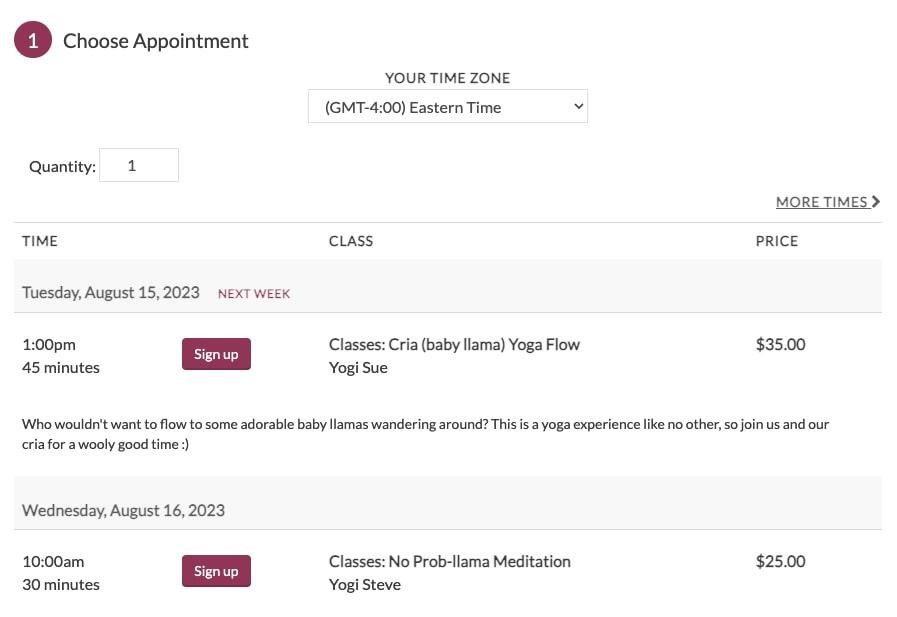
Manage schedules for multiple locations and employees, and allow your customers to book their own appointments online. Acuity Scheduling is also a good option for professionals who do all their business through online meetings.
Features
- Customization options for your booking page, email reminders, and SMS reminders create a branded experience
- Auto-adjustment for different timezones allows clients to see your schedule in their local time
- Integrations with video conferencing software make it easy to join online appointments
- Intake forms help you understand a customer’s needs before their first appointment
- Integrations with Stripe, Square, and PayPal allow you to take payment when customers book
Limitations
- There’s no multi-team calendar selection, so this may not be the best option for large teams with complex scheduling needs
- With no free plan, this app might be out of reach for new businesses
Pricing
- Emerging: $16 per month
- Growing: $27 per month
- Powerhouse: $49 per month
Comparison Table
| Software Name | Best For | Features | Pricing |
|---|---|---|---|
| Vonza | All-in-One Business Management | Six meeting types, calendar conflict checks, time zone intelligence, payments and deposits, email and text reminders, website embed, self-service rescheduling | Included in every Vonza plan, 14-day free trial |
| Appoint.ly | Simplified Meeting Scheduling | Personalized booking links, easy calendar integration | Free to $10/month |
| HoneyBook | Creative Entrepreneurs | Scheduling, invoicing, client management, project tracking | Starting at $39/month |
| Calendly | Efficient Meeting Coordination | Personalized booking links, automated reminders, time zone detection | Free to $15/month |
| Square Appointments | Service-Based Businesses | Integrated booking and payment processing | Free for individuals; pricing varies for teams |
| Playable | Engaging Client Experiences | Interactive booking experiences, appointment management | Pricing varies |
| Deputy | Workforce Management | Employee scheduling, time tracking, task management | Starting at $2/user/month |
| Acuity Schedule | Client Interaction | Customizable appointments, automated reminders, client intake forms | Starting at $15/month |
| Setmore | Versatile Appointment Scheduling | Online booking, calendar integration, automated notifications | Free plan available; paid plans start at $12/month |
| Picktime | Customizable Online Booking | Flexible booking pages, calendar sync, automated reminders | Free plan available; paid plans start at $10/month |
How Scheduling Software Transforms Productivity
According CNN report, “Mindful productivity is about focusing on what matters so you can crush your work goals and have a life outside of them.” Adopting the right scheduling software isn’t just about convenience—it’s a game-changer for productivity. Here’s how:
1. Time Management
Scheduling tools automate repetitive tasks like booking meetings and sending reminders, freeing up valuable time to focus on high-priority projects.
2. Enhanced Collaboration
With features like shared calendars and integrated communication platforms, scheduling software fosters better teamwork, especially for remote or hybrid teams.
3. Data-Driven Insights
Many modern tools offer analytics that track meeting frequencies, project timelines, and resource utilization. These insights help in making informed decisions for improved efficiency.
4. Reduced Stress
By automating scheduling and ensuring clear communication, these tools reduce the chaos of back-and-forth emails, missed appointments, and deadline confusion.
5. Scalability for Growth
Whether you’re a solo entrepreneur or managing a large enterprise, scheduling software evolves with your needs, adapting to growing workloads and team sizes.
By leveraging scheduling software, individuals and organizations alike can optimize their workflows, achieve goals faster, and maintain a healthy work-life balance.
Conclusion
Scheduling software has become a vital component for individuals and businesses aiming to boost productivity and streamline operations. By addressing key challenges such as time management, remote collaboration, and scalability, these tools offer solutions that are essential for success.
From selecting the right features to ensuring ease of use, finding the right scheduling software ensures efficiency, flexibility, and growth. Don’t let inefficiency hold you back—embrace scheduling software to stay ahead, optimize your workflow, and achieve greater productivity.
Watch on YouTubeVonza Demo: Vonza platform tour