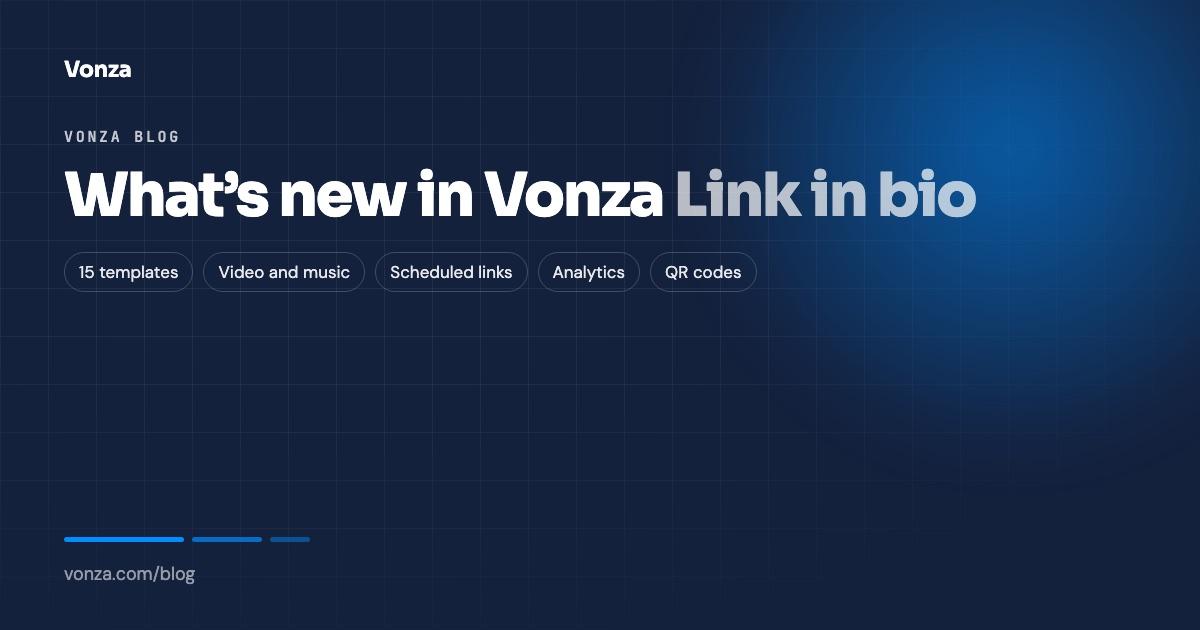
Link in bio has been rebuilt as its own module. Since 30 October 2026 it is the only Link in bio in Vonza: every classic page was copied over the day before, and every entry point in your dashboard now opens the new builder. This post walks through what changed, from templates to analytics, and links to the pages that cover each part. For the overview, start on the link in bio page.
15 templates, and a look that stays readable
A new page starts from one of 15 templates, newest first: Frost, Abyss, Matcha, Cobalt, Infrared, Umber, Hearth, Graphite, Mocha, Clay, Tide, Haze, Sunset, Noir and Aurora. Each comes with starter links, icons and photos, and everything stays editable.
On top of the template you choose:
- a background: one of the swatches, the look’s own colour, or your own colour
- a font, from 7: Clean, Modern, Bold, Classic, Friendly, Typewriter and Handwritten
- a header layout: Classic (round photo on top), Cover (a wide cover photo) or Portrait (your photo, full width)
- a text size: Small, Medium or Large
Or tap Surprise me for a random combination. Whatever colour you pick, button text and edges stay readable, because the contrast is worked out for you. See every look side by side on the link in bio templates page.
One page or step by step
There are two ways to build, and a switch between them. One page shows four sections on one screen: Choose template, Add links, Personalize and Style, ending with Launch my page. Steps takes you through the same ground one screen at a time: Pick a look, Add your links, Tell people who you are, and Make it yours.
Either way you see a live phone preview as you go, and you can switch it to desktop. On a computer, your page uses the wide screen, for example with your profile on the left and your links on the right. The builder works on a phone too, with a Preview your page button and touch-sized controls. Changes save automatically, and nothing is public until you publish.
Blocks: links, pictures, text and more
A page is built from five kinds of rows:
- Link: a button to any page, an email address or a phone number. Show it as a plain button, a picture card or a card with text and its own button words.
- Video or music: YouTube, Vimeo, Spotify, SoundCloud, TikTok and Apple Music play right on your page, so a visitor can watch your latest video or hear your new track without leaving.
- Picture: a photo, with a link if you like.
- Text: a welcome, an offer or a story, up to 500 characters.
- Section title: a heading that groups the rows under it.
Drag rows to reorder them, hide one without deleting it, and add a picture to any link from an upload, your Vonza Cloud files or stock photos. Quick ideas such as My website, Shop, Latest video, Book a call and Newsletter fill in a link for you. A page holds up to 50 rows.
Social icons
Add up to 12 social icons from 18 networks, including Instagram, TikTok, YouTube, X, Facebook, LinkedIn, WhatsApp, Telegram, Threads, Pinterest, Twitch, Discord, Spotify and GitHub, plus email, phone and a website. They sit at the top or bottom of your page, depending on the template.
Highlight, motion and scheduled links
Three new ways to point attention:
- Highlight this link marks the one link that matters most. A page can have one highlighted link at a time.
- Motion makes a link pulse or wiggle, or keeps it still.
- Schedule shows a link only between two dates: set a date and time to show from and to hide after. The editor marks the row Scheduled or Ended, so a launch, a sale or a live event appears and disappears on its own (allow about a minute either side).
Analytics
Each page has its own analytics: Views (times the page was opened), Taps (links and icons pressed) and Tap rate (taps for every 100 views), day by day for the last 7, 30 or 90 days, as a chart or a table, with taps for every link, most tapped first. Each link in the editor also shows its taps for the last 30 days. Views are counts of page opens, not unique visitors, and there is no traffic-source breakdown.
Share, QR code and embed
Share and QR code copies your link, downloads a QR code as a PNG or a print-quality SVG, and gives you an embed code to show your page on any website. Read when to use a link in bio QR code before you print one.
Link preview
Link preview sets the title (up to 70 characters), description (up to 160) and picture people see when your link is shared in a message or a post, or found in a search. Wide pictures of about 1200 × 630 work best. Leave them empty and Vonza uses your name, bio, first links and photo.
Up to 10 pages at yourname.vonza.com
Every page gets its own address at yourname.vonza.com, from a handle of 3 to 30 lowercase letters or numbers. If the name you want is taken, Vonza suggests up to three free ones. An account can hold up to 10 pages, for different brands, launches or campaigns, each with its own address and analytics. Search and filter them by All, Live or Drafts, and take any page offline when you need to: its link stops working until you publish it again.
A page needs your name and at least one link or icon before it can go live. Every public page carries a small “Made with Vonza” footer.
Where to start
Open Link in bio in your dashboard and choose a template, or edit the page that was copied over from the classic builder. New to Vonza? Start a 14-day free trial. For ideas, browse these link in bio examples, and to put your new link on your profiles, follow how to add a link in bio on Instagram and TikTok.